
All solutions

Spray register

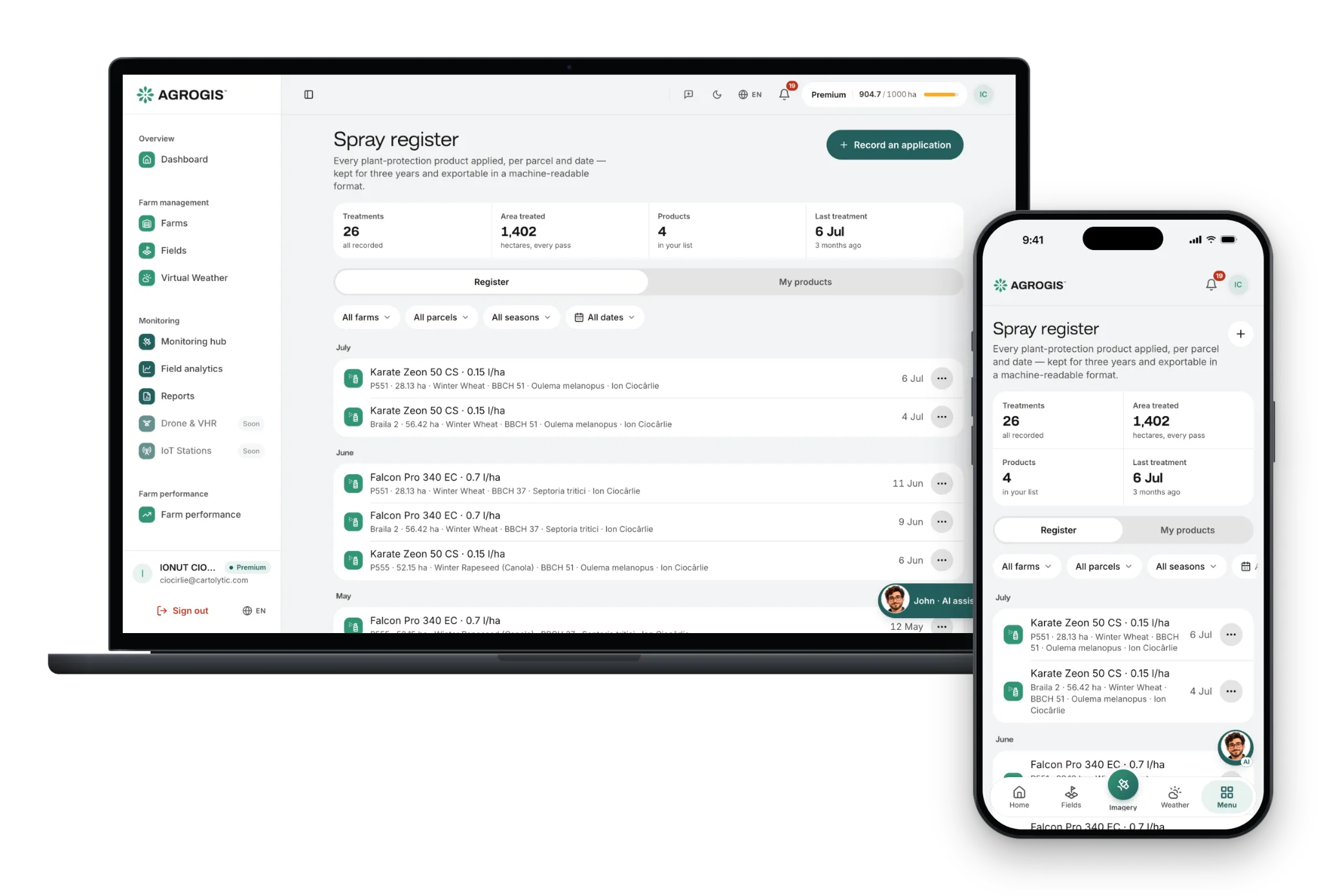
Record every plant-protection treatment on the parcel it was applied to, and export the register as CSV, XML or PDF.

The spray register sits on the same parcels as your imagery and jobs. For every treatment it records the product and its authorisation number, the dose, the treated area, the crop stage (BBCH), the pre-harvest interval, the operator and the parcel's LPIS reference. Export it as CSV or XML for other systems, or as a PDF to hand over. The export is a generic file: it has not yet been checked against a national submission format.

Per parcel
every treatment on its parcel and date
CSV · XML · PDF
the register export
BBCH
a warning when the stage falls outside the product's window
Included
on every plan and in the trial
One season on one farm

What goes into the spray register, and when

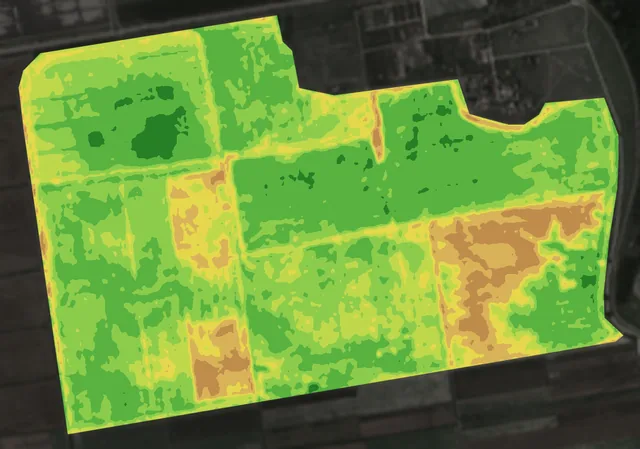
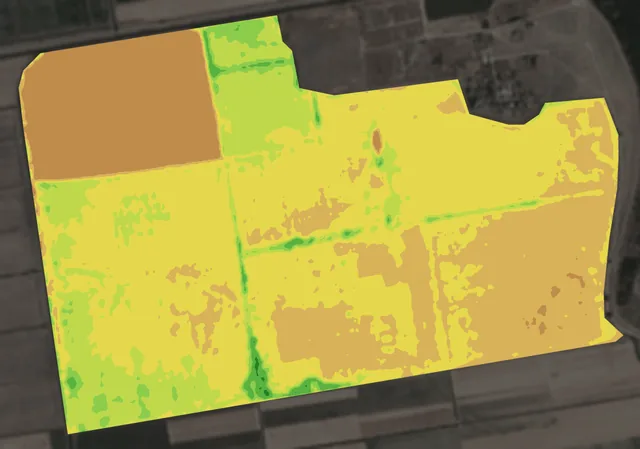
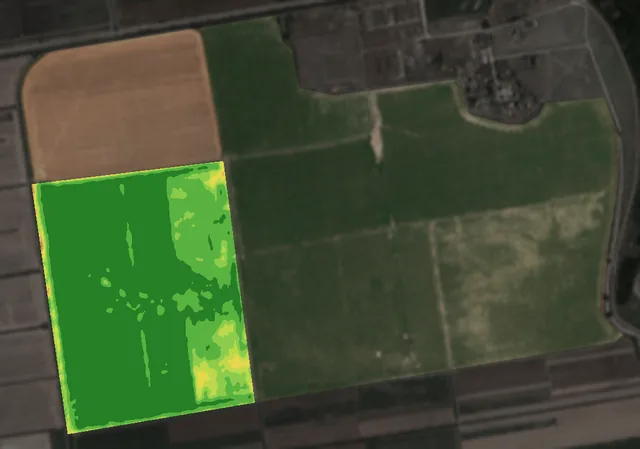
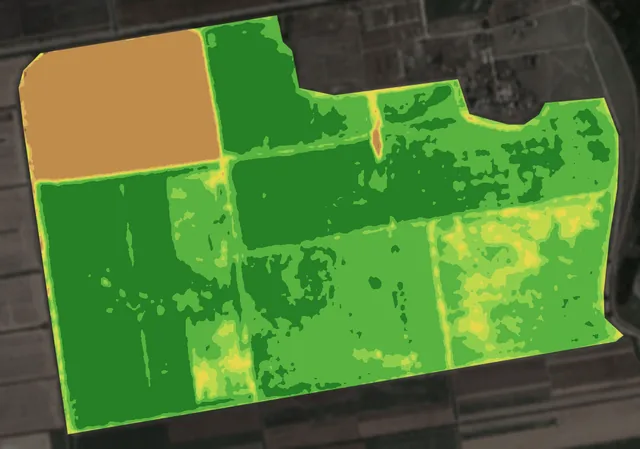
The same 320 hectares in the Bărăgan plain, 2025: the crop stage on each field, the days you could spray, and the harvest. Scroll: the map follows each step.

  1. 1

    The crop stage, from the map

    Fields B to E came up on 31 May, field F on 5 June: five days apart on the same farm.

    Each treatment records the crop stage (BBCH), and the register warns you when it falls outside the window the product is authorised for.

    What you do: Treat each field at its own stage, not at the farm’s average.

    bare soildense crop
  2. 2

    The days you could spray

    From 18 June to 9 September the dry-air alert would have gone out on 64 days; over the season, gusts passed 50 km/h on 11 days.

    On Premium, or with the weather module on Basic, the app shows the spraying conditions hour by hour; every record keeps a note of the weather.

    What you do: Spray in the window the forecast gives you, and note the conditions on the record.

    rain a day (30 mm and more drawn at the top)highest temperature, 0–40 °Ca day the alert would have gone out
    bare soildense crop
  3. 3

    The area you actually treated

    The weak patch in field D was 15 hectares of 84.

    When a treatment covers only part of a field, the record keeps the area you treated, with the operator and the target.

    What you do: Record what you really applied, and where.

    bare soildense crop
  4. 4

    Before the harvest

    On 5 June field A was still green; by 15 June it had been harvested.

    Every record keeps the product’s pre-harvest interval next to the date it was applied.

    What you do: Check the interval before the combine goes in, and export the register as CSV, XML or PDF when someone asks for it.

    bare soildense crop

Weather: ERA5 reanalysis at the farm’s coordinates (Open-Meteo historical archive). Alerts: the app’s own rules and default thresholds applied to what happened; in the app they run on the forecast, a day or two ahead. Maps from 2025 Sentinel-2 images. Contains modified Copernicus Sentinel data 2025.

What you get

Everything you need to make field decisions based on data — not assumptions. Features included in this solution:

  • / 01

    One line per product applied — a tank mix of three products is three lines

  • / 02

    Your own product catalogue: authorisation number, active substance, default dose and pre-harvest interval

  • / 03

    Crop stage (BBCH) on every treatment, with a warning when it falls outside the product's authorised window

  • / 04

    Treated area, operator, target organism and a weather note on each record

  • / 05

    The parcel's LPIS reference carried onto each record

  • / 06

    Export as CSV or XML, or as a PDF to hand over

How it works

How it works, step by step, from the first message to the result.

  1. 1

    Add your products

    Build the catalogue once: product name, authorisation number, active substance, dose and pre-harvest interval.

  2. 2

    Record the treatment

    Pick the parcel and the date, the products and doses, the crop stage and who applied it.

  3. 3

    Export the register

    CSV or XML for other systems, or a PDF to hand over. The export is a generic file, not yet a national submission format.

Frequently asked

  • Is it available now?
    Yes. The spray register is live in the app on every paid plan, and during the 30-day free trial.
  • Can I submit the export to the authorities?
    Not as it stands. The CSV and XML files are a faithful, machine-readable copy of what the register holds, but they have not been checked against a national submission format, and the crop's EPPO code is not filled in yet. Keep the register in AGROGIS as your working record, and check with your national authority how it wants records submitted.

Ready to start?

Try it on your own parcels, or tell us what you need — we reply within one business day.